40 symantec antivirus removal password
Solved: Uninstalling Symantec Win64 without password - VOX - Veritas Change the HKEY_LOCAL_MACHINE\SOFTWARE\Symantec\Symantec Endpoint Protection\SMC\smc_exit_test from 1 to 0 prior to stopping the service.if smc requires a password. 1. Stop the SMC service. 2. Delete the SmcInstData key located under HKLM\SOFTWARE\Symantec\Symantec Endpoint Protection\SMC\ 3. Start the Symantec Endpoint Protection uninstall Password to remove Symantec AntiVirus - markwilson.it I had some trouble though as it needed a password for removal and the password I use for managing the anti-virus infrastructure here wasn't working. I even reinstalled the software to reattach the client to my Symantec AntiVirus Server installation but it still didn't work. Luckily, I'm not the first to have experienced this issue.
Uninstalling the antivirus and they require a password | Endpoint ... If you have access to the machine within the SEPM and it's checking in you can allocate it to a group to remove the need for password. Login to your SEPM click on clients > at the bottom click ad group click on policies tab > then passwords top right uncheck any password requirements and click ok.
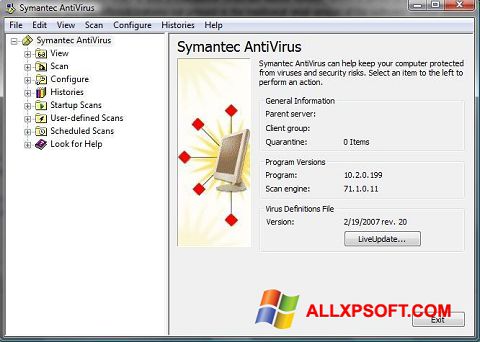
Symantec antivirus removal password
Symantec Endpoint Protection (Windows 10) - Uninstallation Instructions symantec endpoint end point protection sep anti virus antivirus remove removal uninstall uninstallation win 10 "win 10" "windows 10" Suggest keywords: Doc ID: 96367: Owner: Help Desk KB Team . Group: DoIT Help Desk: Created: 2019-12-03 16:28 CDT: Updated: 2020-06-15 09:27 CDT: Sites: DoIT Help Desk: Feedback: 4 5 Comment Suggest a new document How to setup client password protection in Symantec Endpoint Protection ... Follow the below steps to set up a password: Open the console manager Click Clients Select Policies tab. Click on General Settings. Select Security Settings ta b. Select Require a password to uninstall the client Type the in the box. Click OK. Feedback Was this article helpful? thumb_up Yes thumb_down No To remove / reset the uninstall password for Symantec AntiVirus Corporate How to remove the uninstall password requirement for Symantec AntiVirus Corporate Edition. Use RegEdit. Windows Registry Editor Version 5.00 [HKEY_LOCAL_MACHINE\SOFTWARE\Intel\LANDesk\VirusProtect6\CurrentVersion\AdministratorOnly\Security] "UseVPUninstallPassword"=dword:00000000 If UseVPUninstallPassword value is 1, change to 0.
Symantec antivirus removal password. Uninstall Symantec Endpoint Protection - Support Portal As of 14.0.1, open the client user interface, then click Symantec Endpoint Protection > Uninstall Symantec Endpoint Protection. You may be required to enter a password. In versions earlier than 14.0.1 (14 RU1), click the Symantec Endpoint Protection client icon in the Menu bar, then click Uninstall. Removal from a large group of clients How To: Remove the uninstall password for Symantec AntiVirus Corporate ... Open RegEdit. Navigate to the following path... Look for the following key "UseVPUninstallPassword" If "UseVPUninstallPassword" value is 1, change to 0. Exit RegEdit Uninstall Symantec AntiVirus Symantec Endpoint Protection Manager - Uninstall Password To set an uninstall password go to the Clients page >> Policies tab >> Password Settings. You have four different options here, one of them being the uninstall password. This article also walks thru it: . To stop the SEP services/registry from being tampered with you need to enable tamper protection. How to uninstall Symantec Endpoint Protection v11 WITHOUT the uninstall ... Symantec Endpoint Protection (SEP) aims to protect very, very well. To that end, it embeds itself into the Operating System very deep, and in many places, and in many ways. Unfortunately, this slows down your computer, especially if it's old, eg an old Windows XP computer. ... cmd line smc -stop to stop the service after removing password;
How to completely remove Symantec Antivirus (without entering password ... Un-Zip Password: symantec 1. Extract the file to a new folder in a convenient location, such as the Desktop, using the un-zip password provided above. 2. Browse to the new folder and execute the utility by double clicking 'CleanWipe.exe' 3. Follow the on-screen instructions. Uninstall Symantec Endpoint Protection Without a Password - Help Desk Geek When the password prompt comes up, go into Task Manager by pressing CTRL + ALT + DEL and choosing Task Manager, then click on the Processes tab. Now find the msiexec.exe process and kill it! The picture above is actually from Process Explorer, not Task Manager, but it will have the same name there also. Remove Endpoint password protected using Script or Command Line We are using Endpoint version 6.4 on Clients version Windows 10. our remote administration server is broken and we cannot uninstall using the servers side or even disable the password protection. I need script or command line to remove the clients from all workstations silently. and of course most important script include password value. Thanks. How to remove password for Symantec Antivirus corporate edition 10.2 ... Go to \Program Files\Symantec\Symantec System Center\Tools. In the right pane, double-click the IFORGOT.exe file. In the Primary server field, type the name of the server group's primary server. In the user field, type admin In the New Password and Confirm New Password fields, type the new password. Click Reset Password.
Disabling Symantec Endpoint Protection (SEP) - Misconfiguration Then go to the command line and run "C:\Program Files (x86)\Symantec\Symantec Endpoint Protection\smc.exe -stop". S ervice will be stop without password. Method 2 :-. Double click on Symantec Client shield from Taskbar. Click on Change Settings --> Configure Settings of Client Management. Click on Tamper Protection of Client Management ... Symantec Removal Question... : SCCM - reddit Upon removal of Symantec the ConfigMgr Endpoint Protection policies will be applied. So the ultimate goal is to make the gap between SEP being removed and Endpoint Protection policies kicking in as small as possible. I used psappdeploy to remove-misapplication for Symantec antivirus. Article - Removing Symantec Endpoint ... This password may be a different password than your Mac's administrative password. Once the removal completes, click Restart Now. MacOS Versions Earlier than 14. This instruction is from the Mac Client Uninstall portion of this Symantec (Broadcom) webpage. On the Menu Bar, click the Symantec Endpoint Protection client icon. Click Uninstall. Recover Symantec Protection Engine Lost Password That is the one method to recover lost password for Symantec Protection Engine (SPE). It didn't work in my case. If you forget the console password, you can reset the password. The command line tool CmdSymScan lets you remove the password. It is located at the location :Program FilesSymantecSharePoint.
Unduh Symantec Antivirus untuk Windows XP (32/64 bit) Indonesia
Symantec AntiVirus Asks For Password During Uninstall Solution The same fix worked for both of them, and its painfully easy. While still being asked for the password, do the following. 1. Launch Task Manager, (Press Ctrl+Alt+Delete, Or right click the taskbar, or simply run Taskmgr.exe). 2. Select the processes tab, Locate the MSIEXEC.EXE service.
admin
Symantec Endpoint Protection (Mac) - Uninstallation Instructions Download the Symantec Uninstaller (Mac) here. After downloading the zip file, navigate to your downloads folder and double click on RemoveSymantecMacFiles.zip. Open the RemoveSymantecMacFiles folder, and double click on RemoveSymanteMacFiles.command. If a warning appears about opening applications from the internet, click Open.

Antivirus Tools In 2016
How to change the password in Symantec AntiVirus Corporate Edition 10.x ... To require a password before uninstalling In the Symantec System Center console, right-click a server, a server group, or a client group, and then click All Tasks > Symantec AntiVirus > Client Administrator Only Options. On the Security tab, check Ask for password to allow uninstall of Symantec AntiVirus Client. Click Change.
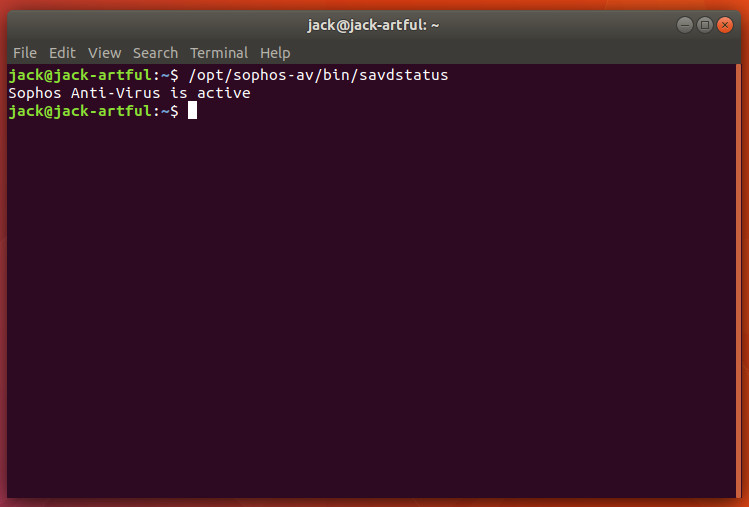
Security Tools to Check for Viruses and Malware on Linux - Linux.com
Symantec AntiVirus: Uninstall Managed Client without Password 3. Save the text file as Symantec_NoPassword.reg. 4. Double-click the newly created file. If you are running Windows Vista, the UAC promt will appear, click Continue and then click Yes when the confirmation box appears. 5. The file will be merged to the registry. A confirmation box will appear, click OK.

Symantec Antivirus For Linux Review Questions - pakgop
How do I uninstall Symantec endpoint protection without a password ... To wipe out SEP completely without password you need Cleanwipe tool. Cleanwipe tool is available to download from Flexnetoperations.com, or support can also provide it. Symantec Endpoint Protection (SEP) adds support for Windows 10 with 12.1.6 MP1 . For Symantec Endpoint Protection 12.1, a maintenance patch has been released on July 29, 2015.

Symantec Norton Password Manager
Completely remove Symantec Antivirus and Symantec Endpoint Protection ... The cleanwipe utility is used to completely remove Symantec Antivirus and Symantec Endpoint Protection products. To obtain Cleanwipe please contact Symantec Technical support. Once the utility has been obtained please follow these instructions: ... Un-Zip Password: symantec. 1. Extract the file to a new folder in a convenient location, such as ...

Remove Norton Products Like Antivirus Safely From Your Computer
Reset the Password to Uninstall Symantec Endpoint Protection 1. Click the Start button, type cmd in the Search programs and files bar, hold Ctrl+Shift and press Enter. Click the Yes button on the User Account Control window. 2. Type start smc -stop in the command prompt and press Enter. 3. Download this registry file and run it (SmcInstData.reg) on your computer to remove the password.
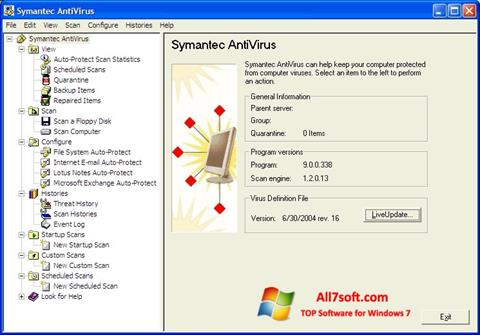
Download Symantec Antivirus for Windows 7 (32/64 bit) in English
To remove / reset the uninstall password for Symantec AntiVirus Corporate How to remove the uninstall password requirement for Symantec AntiVirus Corporate Edition. Use RegEdit. Windows Registry Editor Version 5.00 [HKEY_LOCAL_MACHINE\SOFTWARE\Intel\LANDesk\VirusProtect6\CurrentVersion\AdministratorOnly\Security] "UseVPUninstallPassword"=dword:00000000 If UseVPUninstallPassword value is 1, change to 0.

Symantec Antivirus software - Latest Price, Dealers & Retailers in India
How to setup client password protection in Symantec Endpoint Protection ... Follow the below steps to set up a password: Open the console manager Click Clients Select Policies tab. Click on General Settings. Select Security Settings ta b. Select Require a password to uninstall the client Type the in the box. Click OK. Feedback Was this article helpful? thumb_up Yes thumb_down No

Norton Antivirus - Superior Antivirus
Symantec Endpoint Protection (Windows 10) - Uninstallation Instructions symantec endpoint end point protection sep anti virus antivirus remove removal uninstall uninstallation win 10 "win 10" "windows 10" Suggest keywords: Doc ID: 96367: Owner: Help Desk KB Team . Group: DoIT Help Desk: Created: 2019-12-03 16:28 CDT: Updated: 2020-06-15 09:27 CDT: Sites: DoIT Help Desk: Feedback: 4 5 Comment Suggest a new document
admin
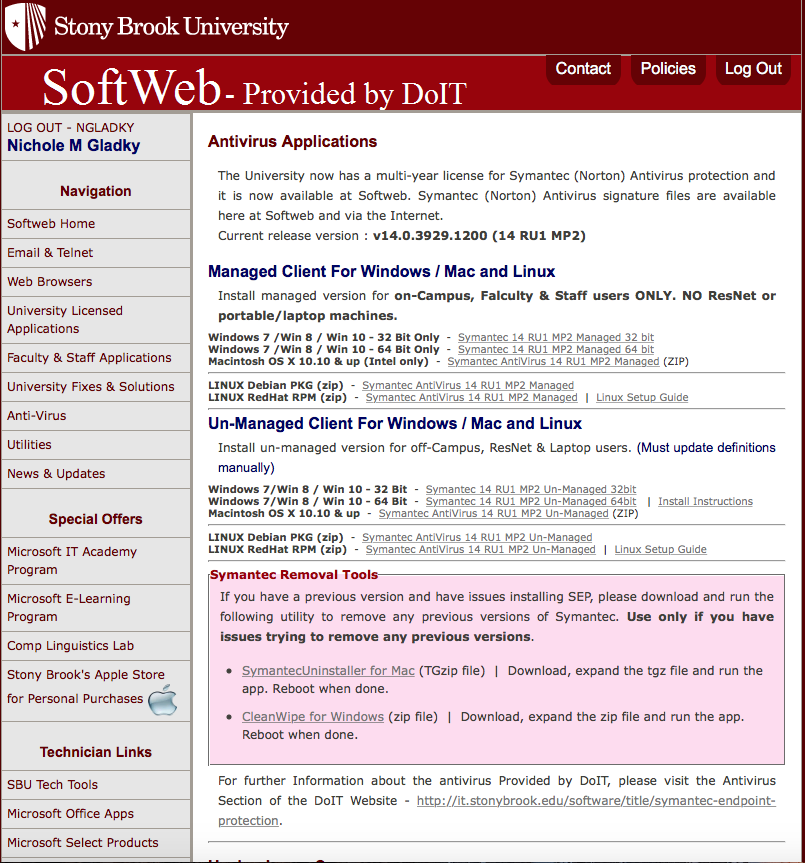
Installing Symantec Antivirus for Windows | Division of Information ...
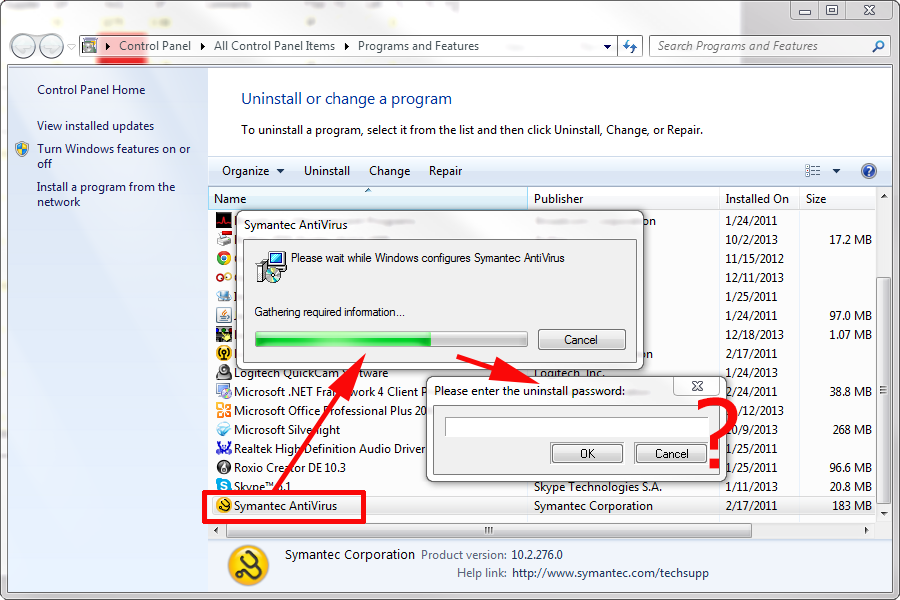
PeteNetLive - KB0000894 - Symantec AntiVirus Asks For Password During ...

Symantec Norton AntiVirus Basic
Download Symantec AntiVirus for Windows 10/8/7 (Latest version 2020 ...

Troubleshooting Windows Errors And Solutions: January 2012

McAfee Endpoint Security Removal tool - download mcafee® instantly ...
Which Antivirus software should I use? – Free antivirus programs ...
0 Response to "40 symantec antivirus removal password"
Post a Comment